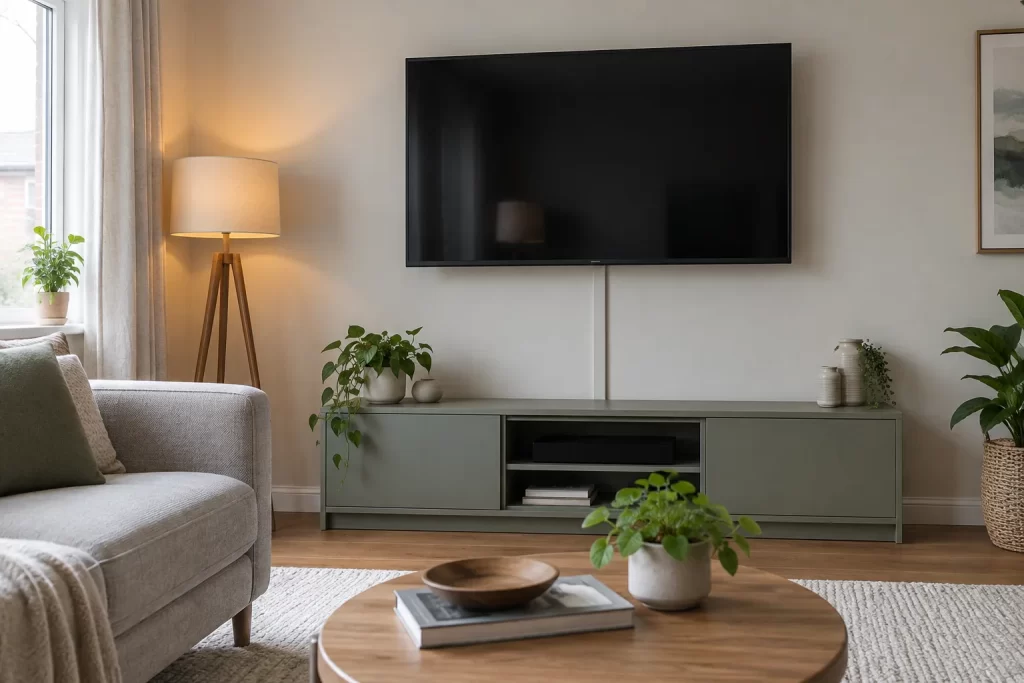
Surface trunking can make a wall-mounted television look tidy without cutting plaster or altering fixed wiring. The safe version of this project routes factory-fitted flexible leads to accessible sockets and keeps mains and signal cables organised. It does not involve putting an extension lead, plug or ordinary flex inside a wall.
Start with the equipment and connection map
List everything that connects to the television: mains power, aerial or satellite coax, HDMI, Ethernet, soundbar, games console and any USB accessories. Record which side each socket sits on and where the equipment will live. Check connector sizes; an HDMI plug needs more trunking space than its cable.
Allow slack for the TV to tilt or swing through its full bracket movement without pulling a connector. Cables must not cross sharp metal edges or become trapped between the bracket and wall. If the television itself is not yet secure, arrange correct TV mounting before cosmetic cable work.
Choose the safest power arrangement
Use an existing accessible socket and the appliance’s approved mains lead. Do not cut off a moulded plug to fit a small channel, splice a flex, or run an extension lead through a wall void. Do not conceal a multiway adaptor behind a television where it cannot be inspected and heat can build up.
If the nearest socket leaves an impractical route, a qualified electrician can install a correctly positioned outlet and test the circuit. That is fixed electrical work, not a trunking shortcut. Use professional electrical services.
Keep mains and signal routes separate
Mains flex and low-voltage data or AV leads should use separate trunking or a proprietary divided system designed for segregation. Separation reduces interference and avoids crowding. Never place loose mains connections inside the same channel as HDMI or aerial joins.
Where routes cross, keep the crossing brief and close to 90 degrees. Leave power connectors accessible for isolation. Follow equipment and trunking manufacturers’ bend-radius and capacity limits.
Tools and materials
- Two suitable sizes of paintable PVC trunking or a certified divided system
- Internal and external corners, end caps and flat bends
- Tape measure, pencil and spirit level
- Fine-tooth saw and mitre box
- File or deburring tool
- Fixings suitable for the known wall construction
- Detector for likely cables, pipes and studs
- Low-tack tape for trial layout
Plan the route before cutting
Use low-tack tape to mark separate vertical runs from the TV towards the media unit and socket. Keep the route clear of radiator heat, curtains, doors and furniture fixings. Avoid the recognised zones above, below and horizontally from electrical accessories because hidden fixed cables may be present.
A detector is an aid, not proof that a wall is empty. If the route requires drilling near a socket or you cannot identify the substrate and services, stop and use adhesive trunking approved for the wall finish or seek handyman help alongside any required electrician.
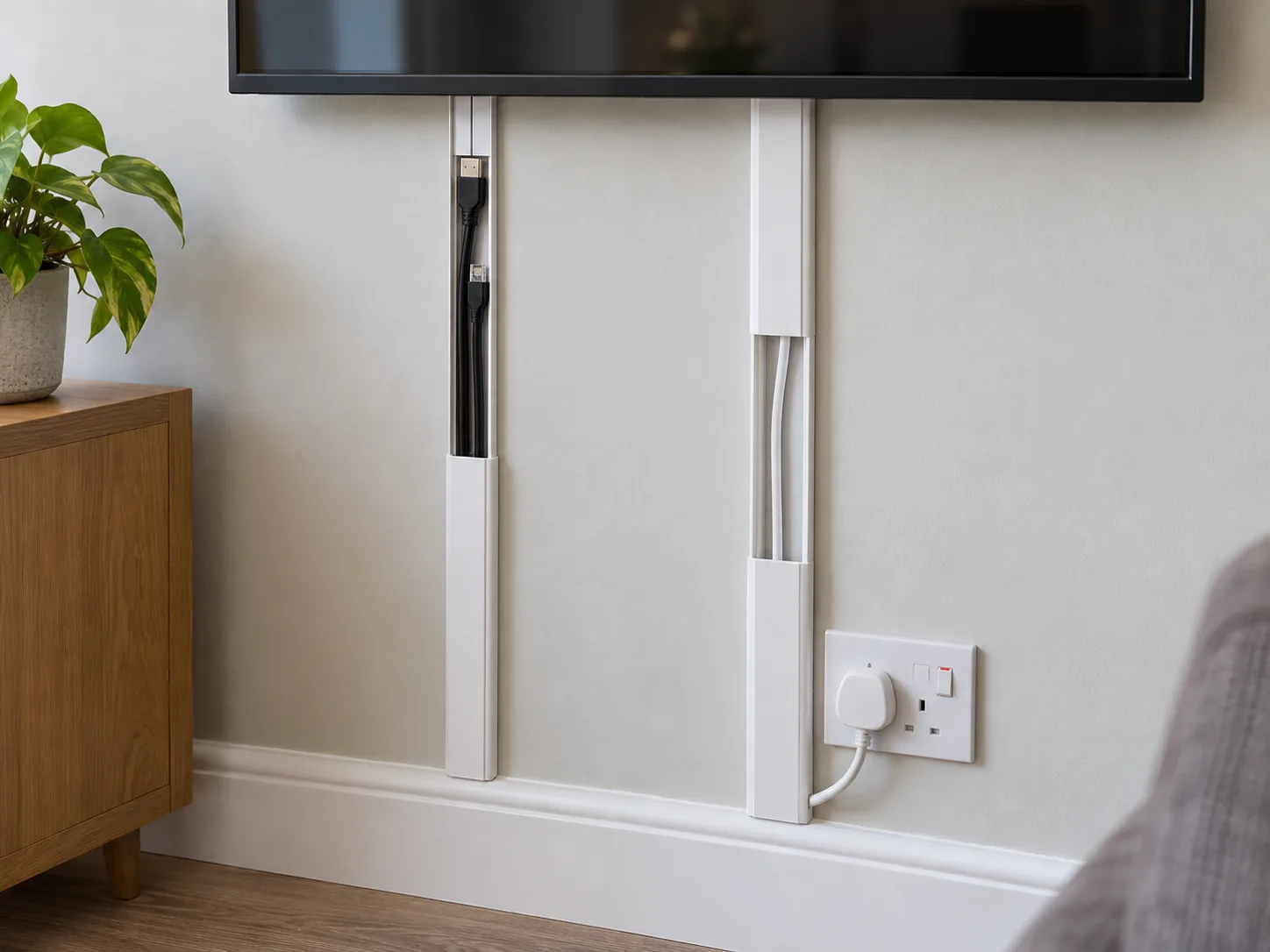
Step 1: disconnect and label every lead
Switch equipment off, unplug it and photograph the rear connections. Label both ends of signal cables. Support a tilting TV so it cannot move unexpectedly; do not remove it from the bracket alone if it is large or heavy.
Step 2: measure for connectors, not just cables
Lay the proposed bundle loosely inside a sample of trunking. The cover should close without pressure, and plugs must pass through corners or be connected after the base is fitted. Do not exceed the manufacturer’s fill guidance. Overfilled channel pops open and crushes cable insulation.
Step 3: cut and deburr the trunking
Measure each straight section twice. Cut the base and lid square in a mitre box and smooth sharp edges. Use purpose-made corners where they improve cable bend radius. Dry-assemble the route and check that lids can still be removed for future changes.
Step 4: secure the bases
Adhesive-backed trunking requires clean, dry, sound paint and may damage finishes when removed. Press it only after the layout is final. For mechanical fixing, locate services, drill only to safe known depth and use fixings suitable for the substrate. Do not route screws through the channel once cables are present.
Step 5: lay cables without tension
Place signal and mains leads in their separate routes. Keep natural curves at entry points and add no tight coils behind the TV. A short service loop may be secured to the bracket where its instructions allow, away from ventilation slots and moving arms.
Clip on lids progressively, checking no insulation is trapped. Fit end caps or bushings anywhere a cable exits a cut edge.
Step 6: reconnect and test before decorating
Reconnect labelled leads, plug directly into appropriate outlets and move the bracket through its range slowly. Test picture, sound, network and all sources. Feel for abnormal heat after normal operation, without touching live pins or opening electrical equipment.
Only paint trunking if the manufacturer permits it. Lightly prepare the surface as directed, keep paint away from lid joints and allow full drying before refitting cables if they were removed.
Common mistakes
- Running an extension lead or plug inside the wall.
- Cutting a moulded mains plug off.
- Mixing mains and signal cables in undivided trunking.
- Using a channel too small for HDMI plugs.
- Drilling vertically above a socket without service checks.
- Leaving no slack for an articulated bracket.
- Blocking the television’s ventilation openings.
When surface trunking is not enough
A new socket, fused connection, hard-wired equipment or any change to fixed wiring belongs to a qualified electrician. Specialist help is also appropriate for fire-rated walls, chimney breasts, damp walls, rented homes with restrictions and routes crossing communal areas. Never trade electrical safety for an invisible cable.
Neat means accessible as well as hidden
If the route needs new supports above the screen, the guide to fitting a curtain pole explains the same principles of detecting services and choosing fixings. For unexplained electrical trips, stop rearranging leads and use the safe checks in the RCD troubleshooting guide.
Keep a simple connection diagram with the equipment manual. It saves pulling off every lid when a source changes and shows future occupants which route carries power.
A good surface route has adequate capacity, smooth exits, separate power and signal paths, removable lids and accessible plugs. Plan for the television’s movement and future cable changes. The result can be discreet without burying components that need inspection or turning decorative work into untested electrical installation.